Hi,
I think I have found a bug in the Windows version of Hue Essentials (4.6.6(1)).
Environment:
- Windows 11
- Hue Essentials 4.6.6(1)
- Philips Hue Bridge
- Bridge time zone: Europe/Copenhagen
Problem:
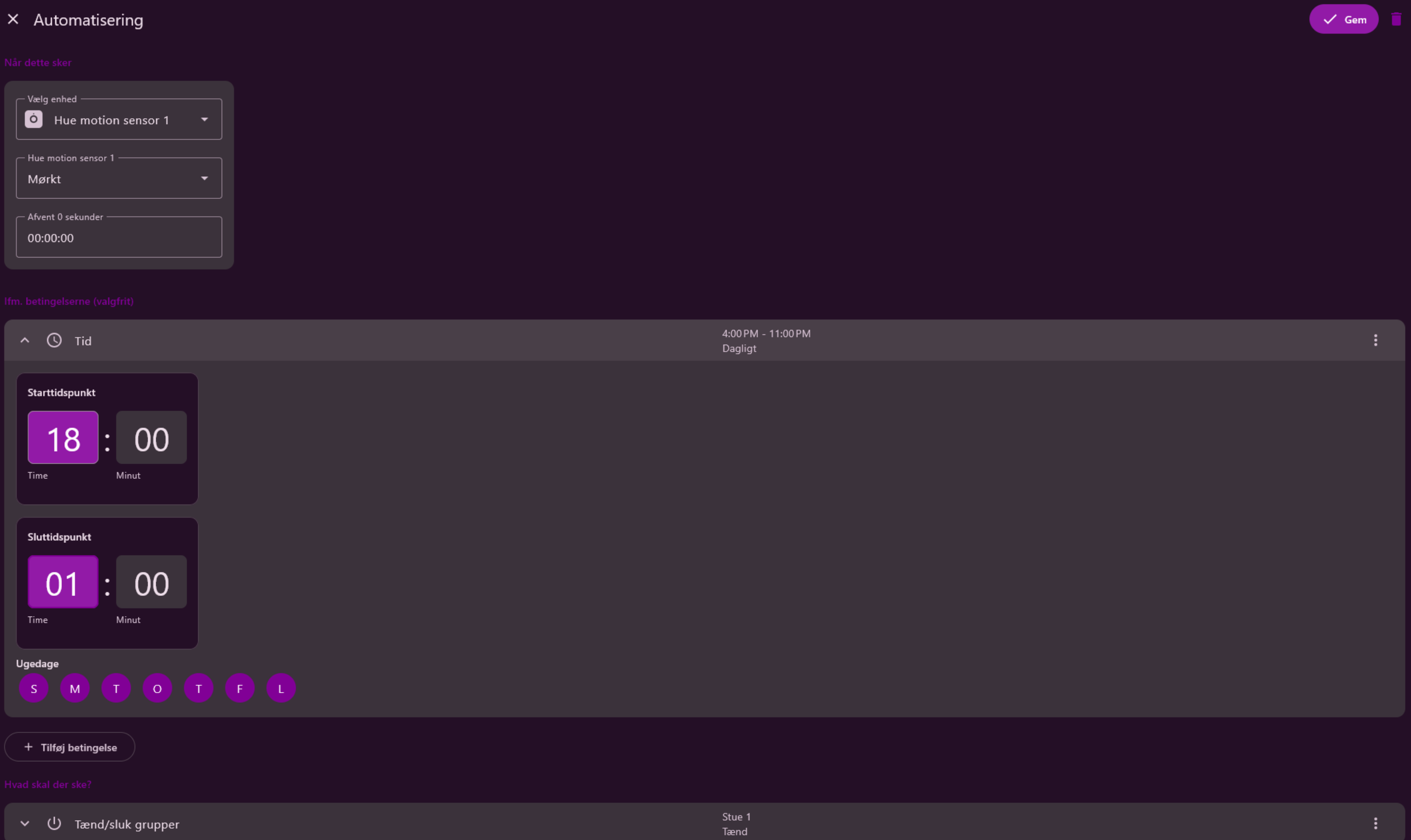
When I create or edit an Automation with a time range, the displayed times are shifted by 2 hours.
Example:
- I set the start time to 16:00, but after saving it is shown as 2:00 PM.
- If I set the start time to 18:00, it is shown as 4:00 PM.
The offset is always exactly 2 hours.
Is this only a display issue, or is the wrong time actually being stored on the Hue Bridge?
Thanks!