SamLmn
December 28, 2025, 4:06pm
1
Hello,
We just bought the app. We use the sync feature to sync our Hue strip lights with our new Philips TV.
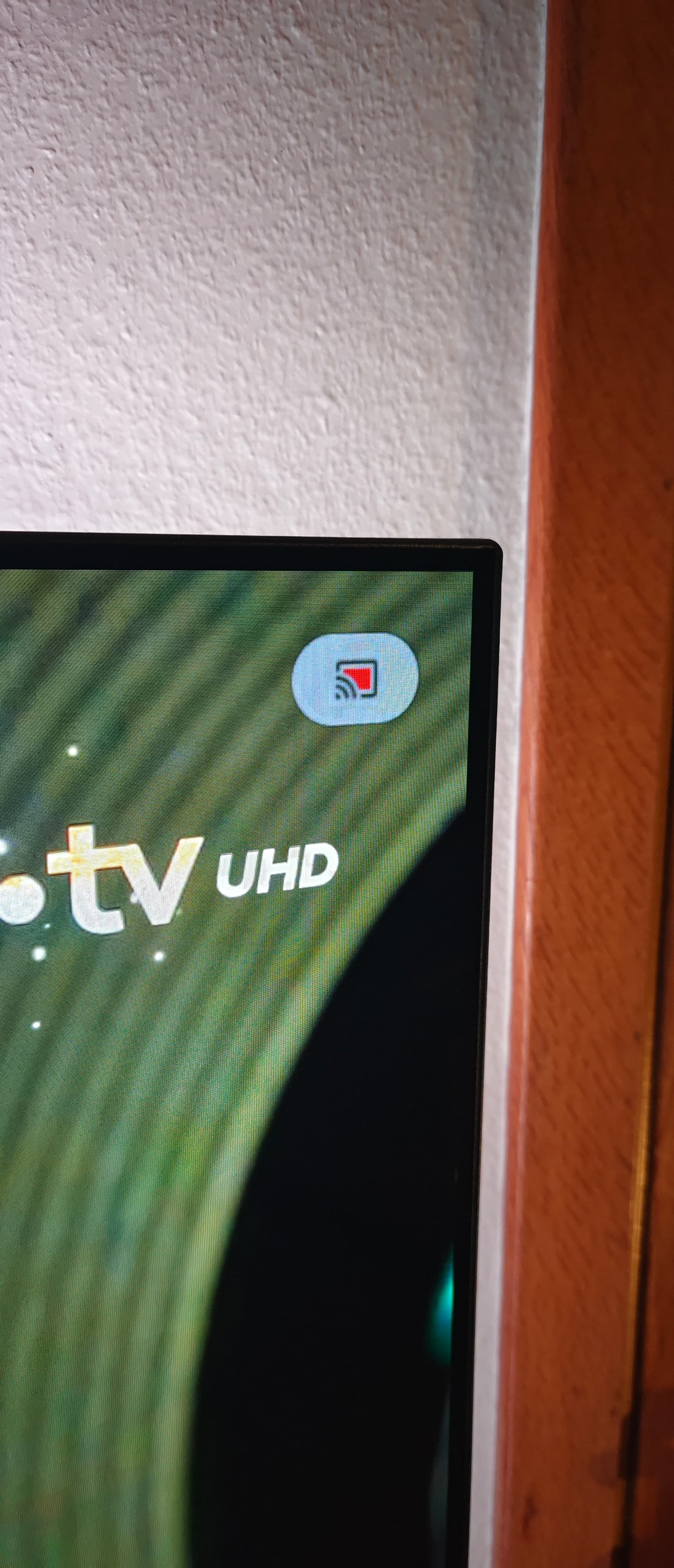
It works great, the only downside we find is this permanent icon that remains on the top right of the screen (see attached picture).
Is there a way to remove it while using the sync feature ?
We use an Oled TV, so a permanent icon on the screen might cause image retention.
Dino_H
December 29, 2025, 9:02pm
2
Looking for an answer as well, just purchased premium to try this and now I’m seeing the icon, which makes the app unusable for me
EDIT: Looks like it can be disabled via ADB via the following command:
adb shell device_config put privacy media_projection_indicators_enabled false default
However, Google may overwrite this configuration in future updates, so it may need to be reapplied.
SamLmn
December 30, 2025, 6:50am
3
Thank you so much. It works, the icon is gone. I managed to enter the command by connecting my Macbook to the TV via wireless ADB. I first tried to connect it via USB but it seems it doesn’t work anymore on Android TV 14.
SamLmn
January 2, 2026, 9:43am
4
Actually the icon ends up reappearing after 12 hours approximately.
It can be hidden permanently via the following command :
adb shell device_config set_sync_disabled_for_tests persistent
It works, the icon doesn’t reappear anymore. Please note that this command must be entered after the first one.
Could someone give steps on how to do this? How do you connect to the TV and what do you use to run the command?
I used this tutorial to set up wireless ADB on my TV. You will have to use the terminal on your PC. Once the PC is paired with the TV, use the terminal again to run the two commands. The icon should disappear.